*Prices shown are advertised monthly equivalents on a 36-month term, not month-to-month rates. Existing promotional checkout links include code SAVE25. Final prices, discounts, and terms must be confirmed in WHMCS at checkout.
EVERYDAY TOOLS, BUILT IN
More time building. Less time managing.
Everything essential, brought together in one approachable hosting platform.
✦
Fast SSD hosting
Responsive storage paired with LiteSpeed and LSCache to help websites load efficiently.
▣
cPanel made simple
Manage domains, email, databases, files, and website settings in a familiar dashboard.
⛨
Security included
Free SSL certificates and security protections help secure your website and visitors.
↺
Offsite backups
Automatic backups add an additional recovery option for your website and files.
⌘
Install apps in minutes
Softaculous makes it easy to install WordPress and other popular applications.
⇄
Free website migration
Move supported websites and email accounts with assistance from our migration team.
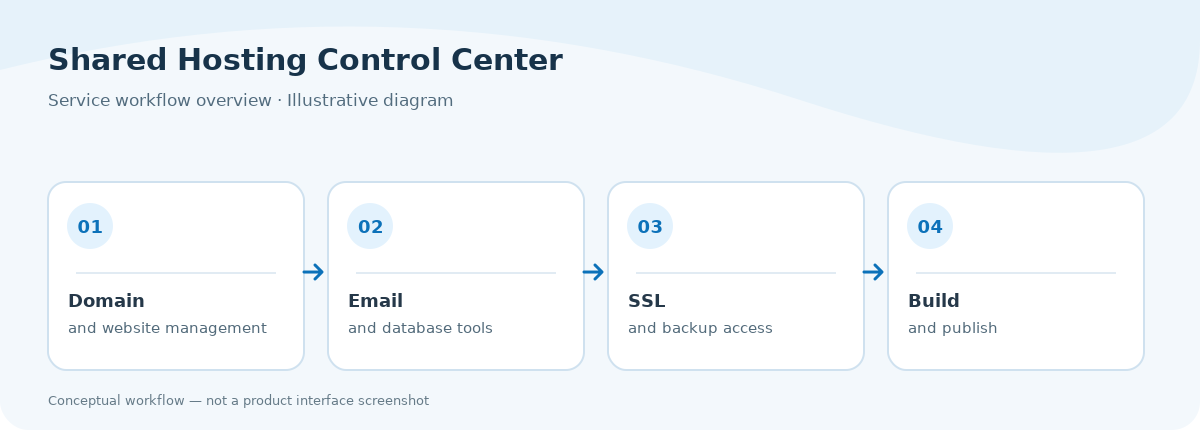
Service overview
Shared Hosting workflow
A visual overview of the hosting tools already described on this page.
Illustrative workflow based on the service features described above. Not a screenshot of the live product.
ONE DASHBOARD. YOUR WEBSITE.
Built around cPanel. Ready for what's next.
Manage websites, business email, SSL, databases, backups and app installs without navigating a maze of tools.
cPanel Shared Hosting is a web hosting solution where multiple websites share the same server resources, such as RAM and CPU. The cPanel is a web-based hosting control panel provided by hosting companies to website owners, allowing them to manage their websites from a web-based interface. This includes tasks like creating email accounts, managing databases, and installing software.
Can I install WordPress on cPanel Shared Hosting?
Yes, you can install WordPress on cPanel Shared Hosting. We offer an easy, one-click installation process for WordPress via Softaculous available in the cPanel dashboard
How long does the setup and delivery take after I order?
We provision shared hosting accounts instantly. Our average provisioning time is just 2-5 minutes from confirmed invoice payment to accessible server. Once your account is fully-provisioned, your server details and account credentials will be provided through our secure Client Portal.
Can I host multiple websites on a cPanel shared hosting account?
Yes, depending on your hosting plan, you can host multiple websites on a single cPanel Shared Hosting account using the "Addon Domains" feature in cPanel. This allows you to manage multiple websites from one cPanel dashboard, though they will share the same server resources.
What happens if my website exceeds the resource limits of my Hosting plan?
If your website exceeds the resource limits of your Hosting plan, your site will be given access to additional Burst Resources to prevent service disruption. If your site consistently requires Burst Resources, consider upgrading to a higher plan with more resources, optimizing your website for better performance, or moving to a VPS or dedicated server for additional resources and control.
Is my website secure on cPanel shared hosting?
Security is our top priority. Our servers are shielded by state-of-the art firewall and intrusion protection. In over 10+ years of offering shared hosting, we've consistently put the security of our users above everything else. While we also believe in top-of-the-line performance and features, the most important thing for a service provider is to "Do No Harm," above all else.
How can I backup my website on cPanel shared hosting?
You can back up your website directly from the cPanel dashboard. Look for the "Backup" or "Backup Wizard" section. From there, you can choose to back up your entire site, specific files, databases, or email configurations. Rad Web Hosting also provides account backups on a regular basis in case of emergency.
What is the cost for additional (burst) bandwidth?
Bandwidth overages-or "burst" (bandwidth exceeding monthly allotment)-is billed at $0.025/GB.
Can I get a dedicated IP address for my cPanel shared hosting account?
Yes, you can get a dedicated IP address for cPanel shared hosting accounts for an additional fee. You'll have the opportunity to choose whether your account should have a dedicated IP assignment on the order form.
Do cPanel Shared Hosting accounts support IPv6?
Yes, cPanel Shared Hosting supports IPv6. Rad Web Hosting supports IPv6 enablement. All websites will have access to IPv6.
Do you provide 24/7 support for cPanel Shared Hosting?
Yes, we absolutely provide 24/7 in-house support. Open a support ticket anytime to get fast and helpful support.
Where can I find cPanel Shared Hosting documentation?